
BAD TRIPP Tools Guide for Last War Survival
This quick reference guide shows how to use the VS Planner, Buff Calculator, RSS Production Calculator, and HQ Upgrade Tracker in BAD TRIPP Tools for Last War: Survival.
🗓️ ⏰️ 📢 VS Planner
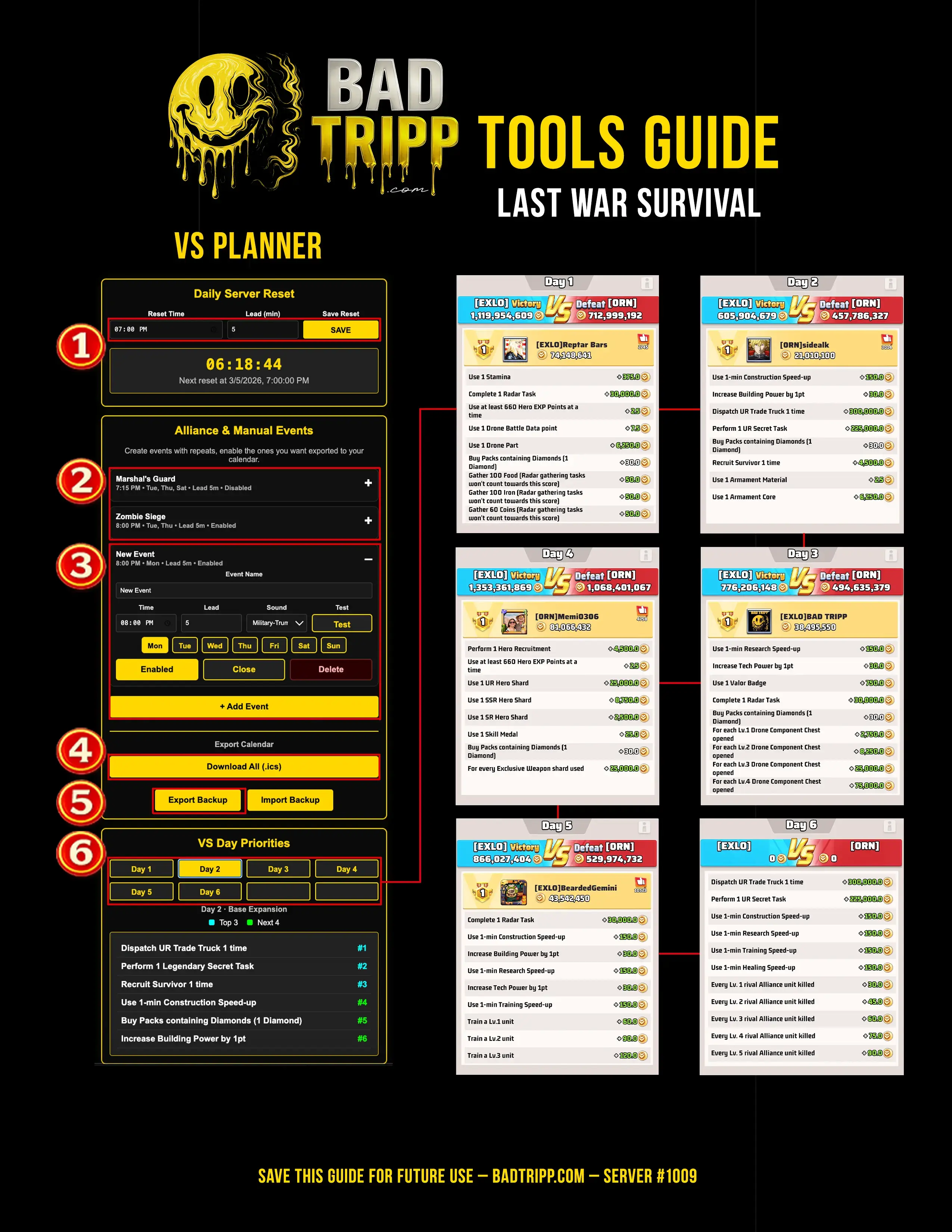
What it doesSet your server reset time, build a master list of events & tasks, use VS day list to maximize points.
Quick steps- In Daily Server Reset, enter your reset time and lead time, then tap Save.
- In Alliance Events, open Marshall’s Guard and Zombie Siege, set days, times, lead time, then enable or disable.
- Add any custom events or tasks you want, this becomes your master list.
- Export your events as an ICS file to add everything to your calendar.
- Use Export Backup to save or restore your full setup later.
- Open VS Day Priorities, tap Day 1–6 to see the highest point tasks first.
Tap image to enlarge. Save it to your phone for quick reference.
🏗 🔬 🎯 Buff Calculator
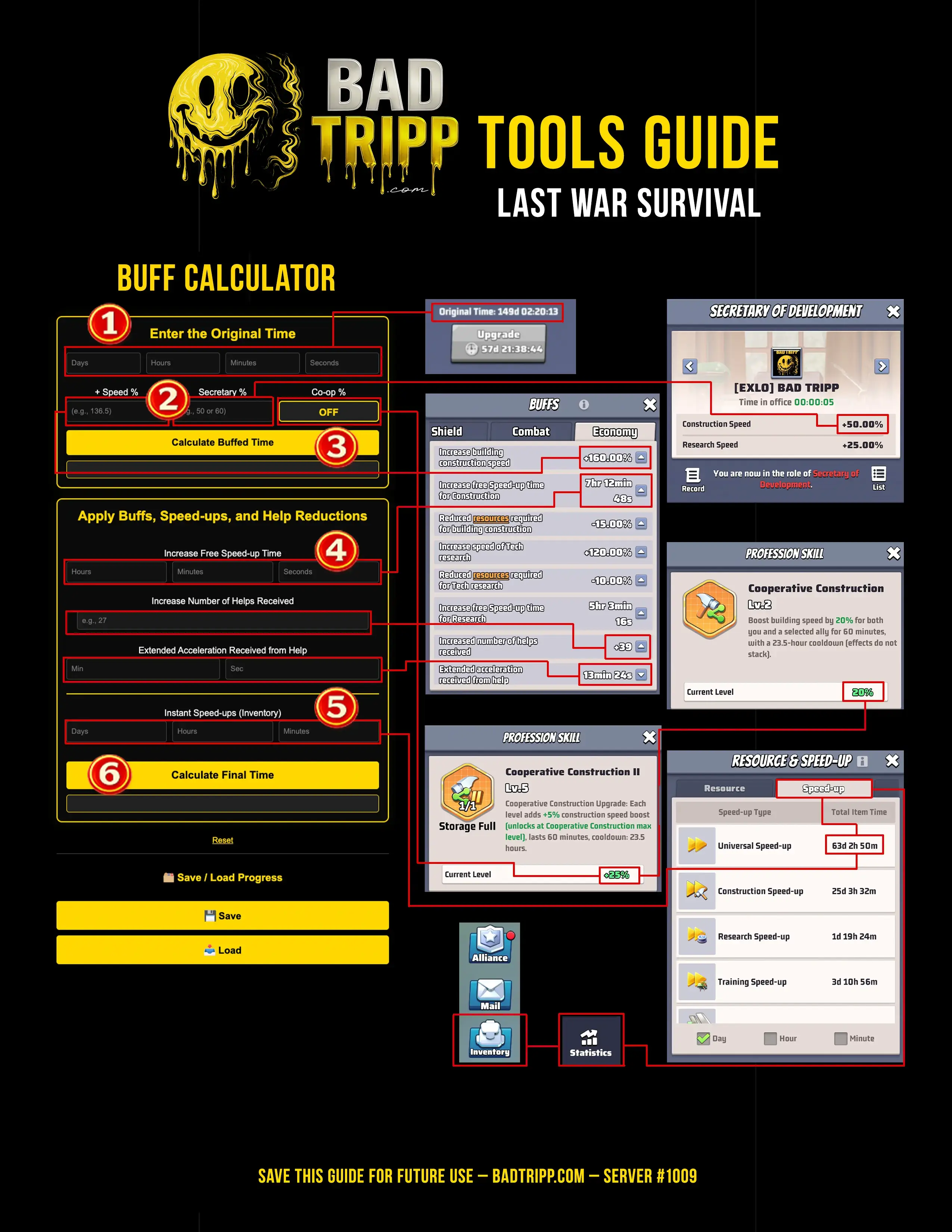
What it doesCalculate your buffs, helps, and speed-ups before you upgrade.
Quick steps- Enter the original timer, days, hours, minutes, seconds.
- Enter Speed %, Secretary %, and Co-op %, choose 10%, 20%, or 45%.
- Tap Calculate Buffed Time for speed-only results.
- Add Free speed-up time and Helps, count plus seconds per help.
- Add speed-ups you plan to use from inventory.
- Tap Calculate Final Time to see the true finish time.
Tap image to enlarge. Save it to your phone for quick reference.
🍞 📏 💰 RSS Calculator
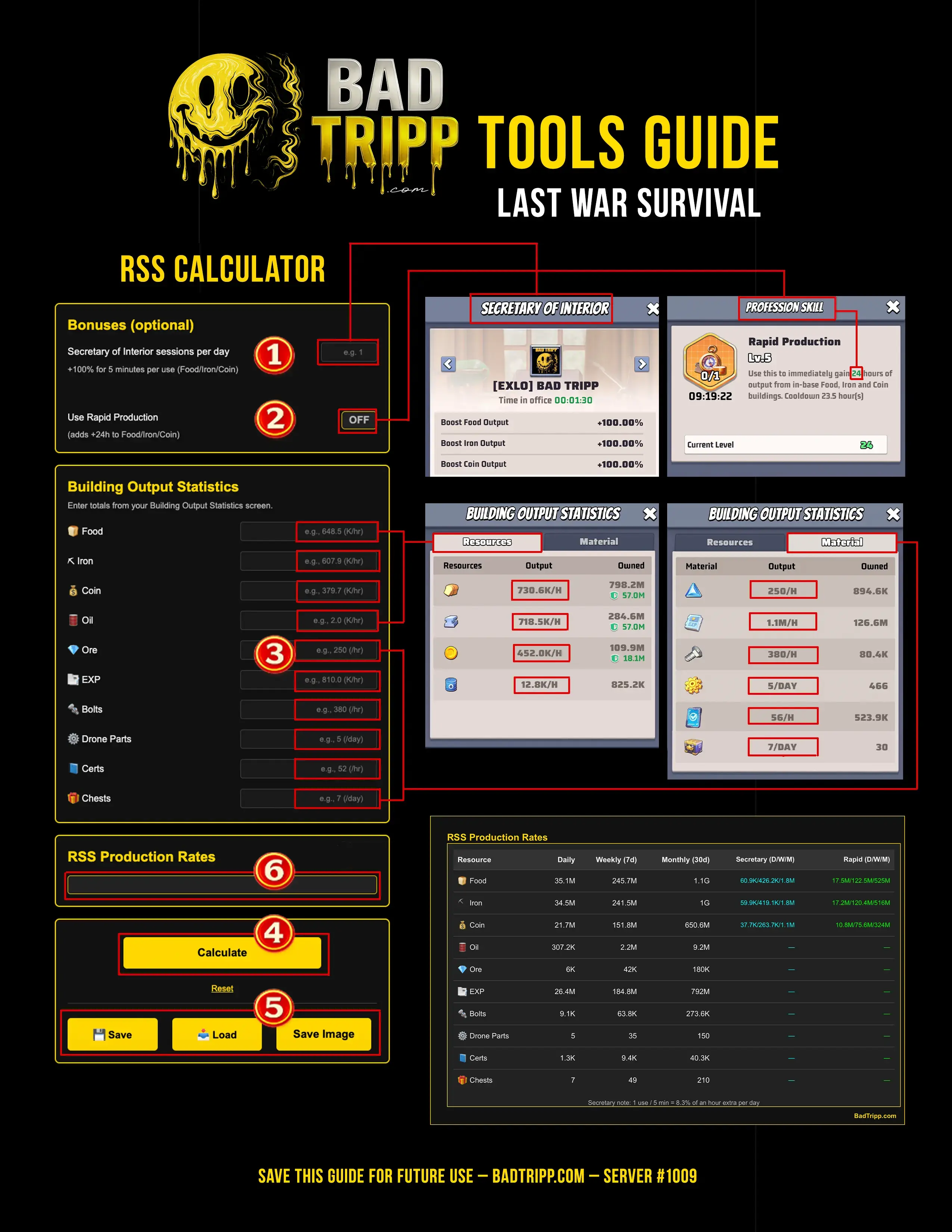
What it doesKnow your daily, weekly, and monthly production rates with buffs, no guessing.
Quick steps- Enter how many Secretary of Interior sessions per day you plan to run.
- Toggle Rapid Production on or off, use off if your skill is not 24 hours.
- In Building Output Stats, enter your hourly production rates.
- Enter values in thousands per hour, 1.1M/hr = 1,100.
- Tap Calculate to generate your totals and chart.
- Use Save Data to store your numbers for later.
- Use Save Image to download the chart.
Tap image to enlarge. Save it to your phone for quick reference.
🚀 🛠️ 📈 HQ Upgrade Tracker
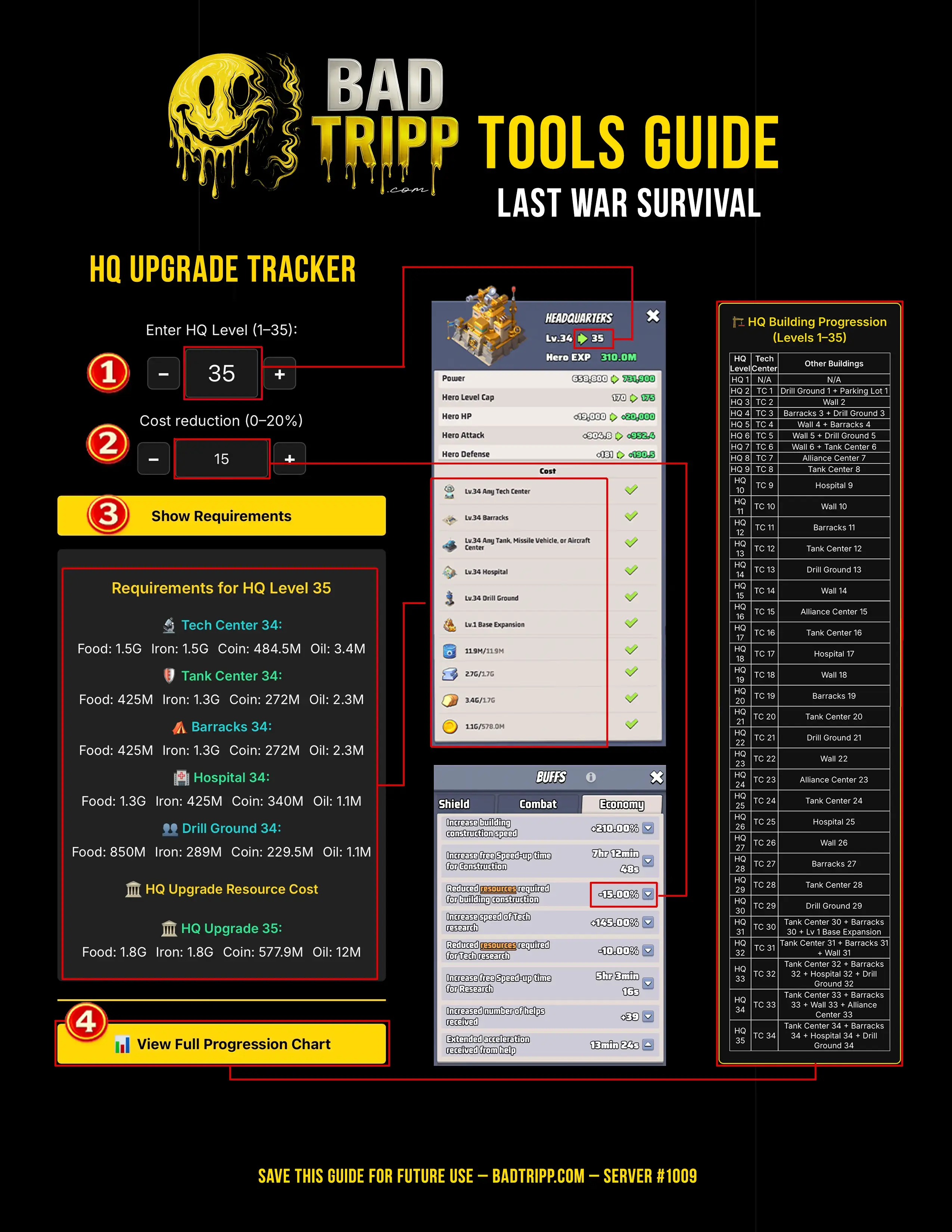
What it doesMap the full upgrade requirements, totals, and bottlenecks from your current HQ to target.
Quick steps- Select your current HQ level and target HQ level.
- Review required buildings and prereqs listed for the upgrade path.
- Check missing levels per requirement, anything already met is zero.
- Review total resource requirements across all needed levels.
- Use the table to spot bottlenecks and plan upgrade order.
- Optional, apply speed buffs and helps for time estimates.
Tap image to enlarge. Save it to your phone for quick reference.
The BAD TRIPP Tools platform helps Last War Survival players plan VS events, calculate upgrade time buffs, track RSS production, and map HQ upgrade requirements. These tools are designed to help alliances maximize points, plan upgrades faster, and manage resources efficiently.